 Hudson River AI

Review Plus
Prepare and track prior authorizations for imaging, surgery, and other medical procedures.
Explore Review PlusDraft prior authorization letters and review litigation evidence. Follow the details back to the source before you use the work.
Prepare and track prior authorizations for imaging, surgery, and other medical procedures.
Explore Review PlusFind potential witnesses, trace findings to source documents, and draft examination questions.
Explore Witness Plus Review+ AI
Review+ AI (R+) gives radiology, pain management, orthopedic, spine, and ambulatory surgery teams one place to organize records, draft letters of medical necessity, coordinate physician sign-off, and track payer decisions.
Review+
CASE WORKSPACE
SAMPLE CASE / 024
Requested study
MRI lumbar spine without contrastOne case, three handoffs
The R+ workflow
Give each team a clear next step and keep the documents, draft, and decision history together.
Attach orders, scanned notes, and supporting PDFs. Review extracted text against the original pages before using it in a draft.
Generate a starting letter from reviewed records. Follow links back to source pages and check the questions R+ flags for the clinician.
Ask involved physicians for missing records in private case conversations. Route the draft to the referring physician for review and electronic signature.
Download the signed packet for your submission channel, then log the payer’s decision, authorization details, and follow-up.
Filter the case worklist by column and download matching cases as a CSV. Staff can also export the physician and insurer directories. Admins can use sample CSVs to add all three types of records in bulk.
Manage staff and physician accounts, optional physician Tax IDs, the facility Tax ID, and outbound email settings in Admin. Email notifications link recipients back to the portal to read case messages.
See the CSV and Admin guideProduct walkthrough · 72 seconds
Follow a fictional imaging case from the worklist through physician messaging, sign-off, and payer follow-up, then see how admins import records in bulk.
Download the MP4 · Read the case messaging guide ↗
Inside the application
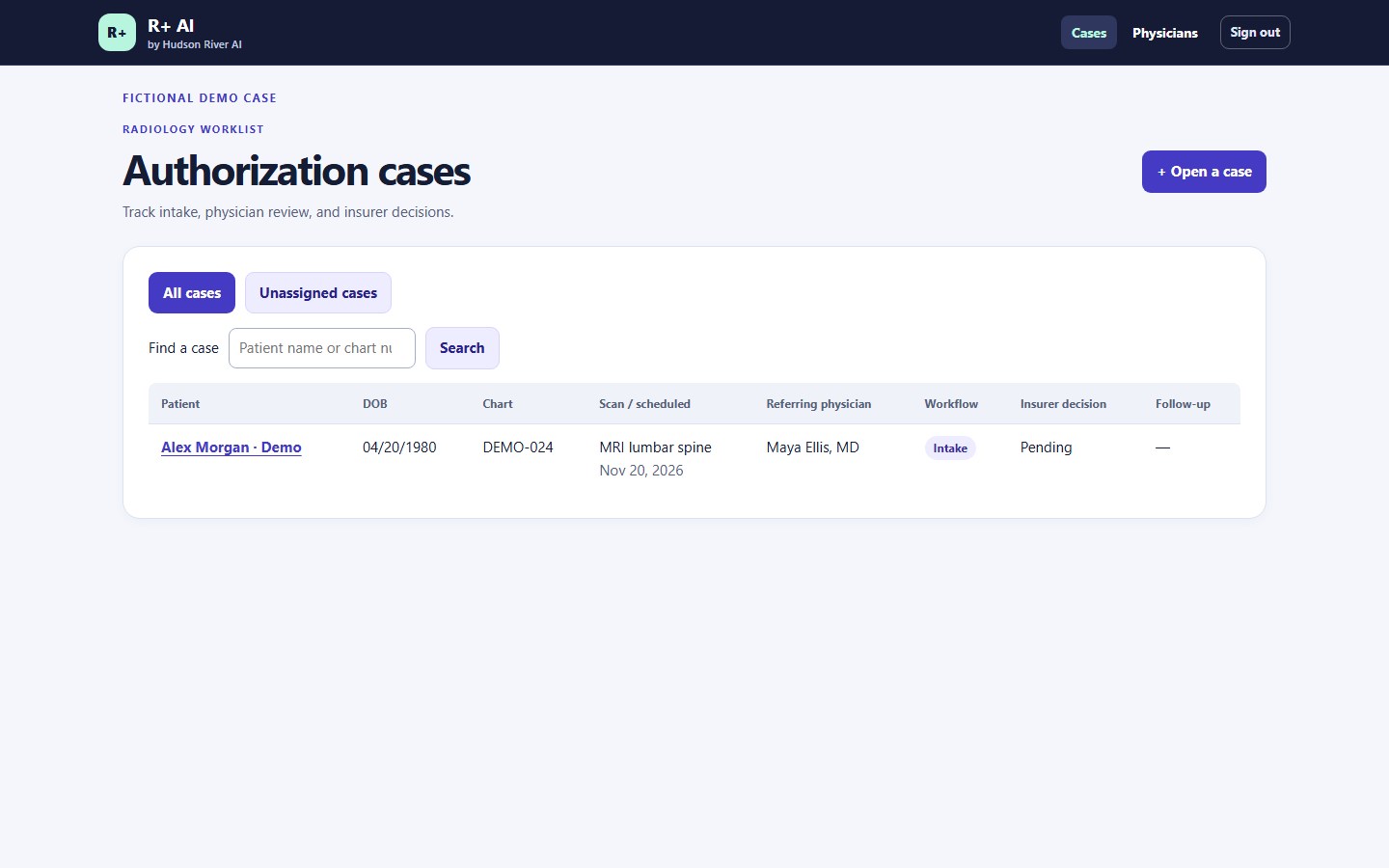
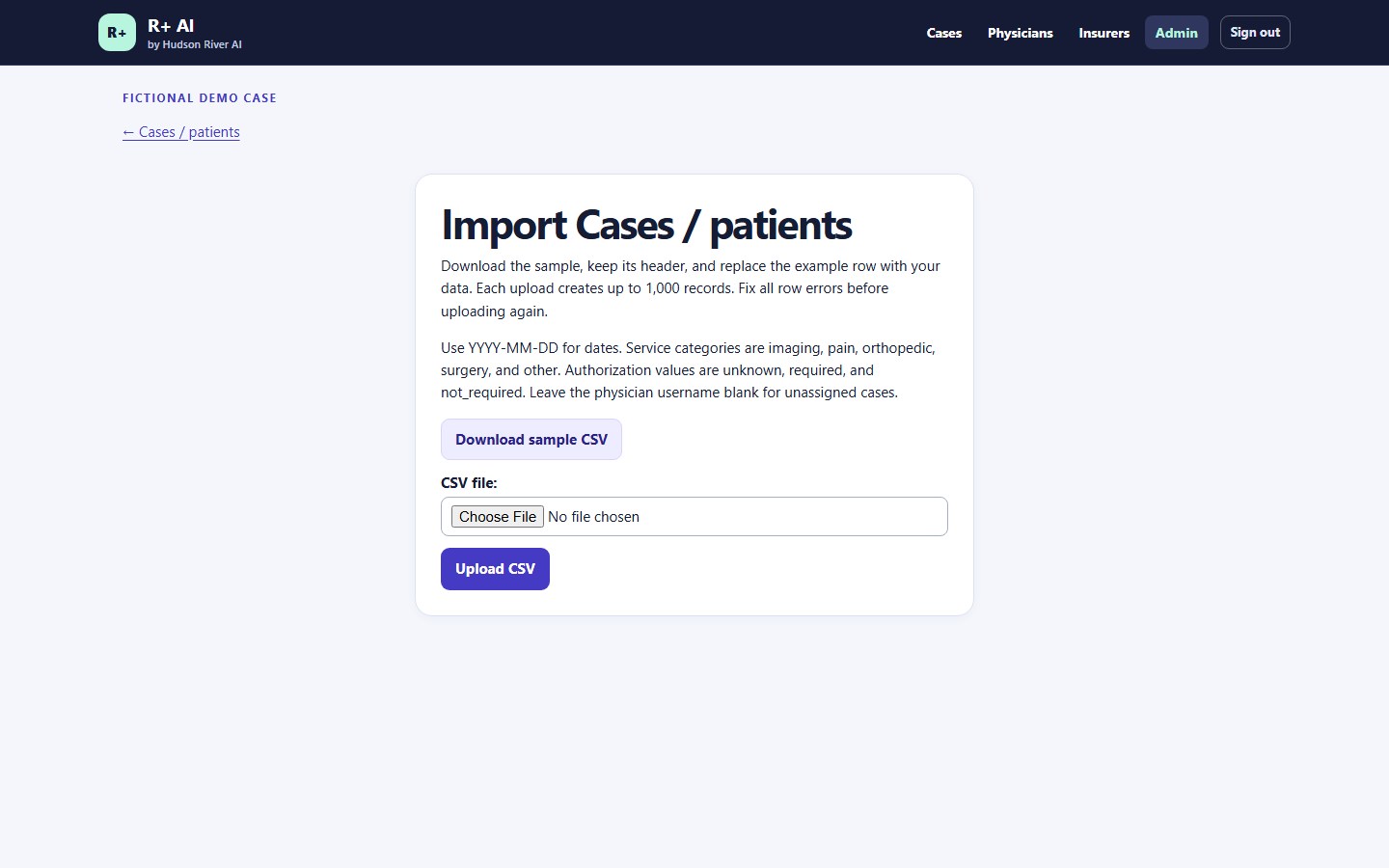
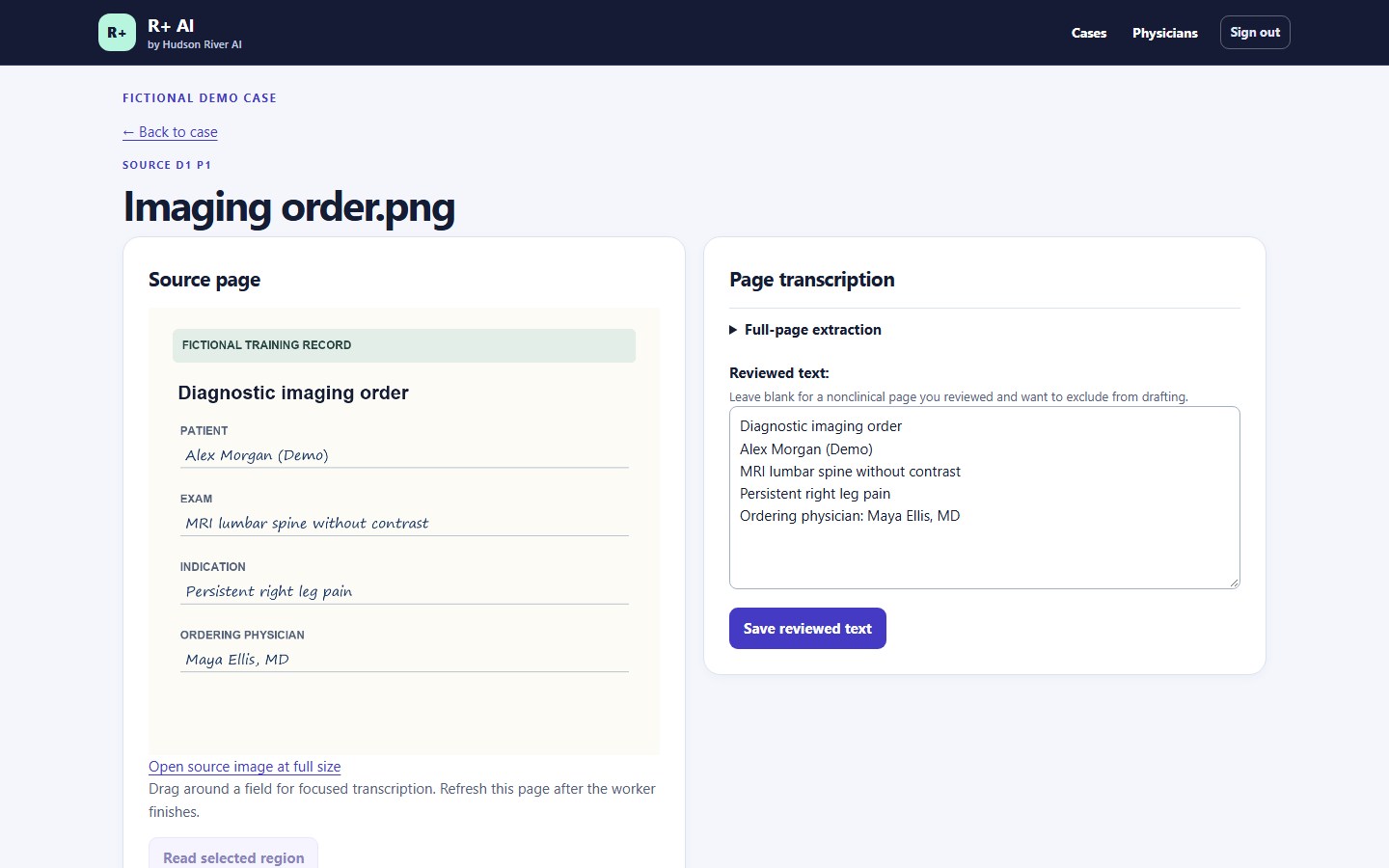
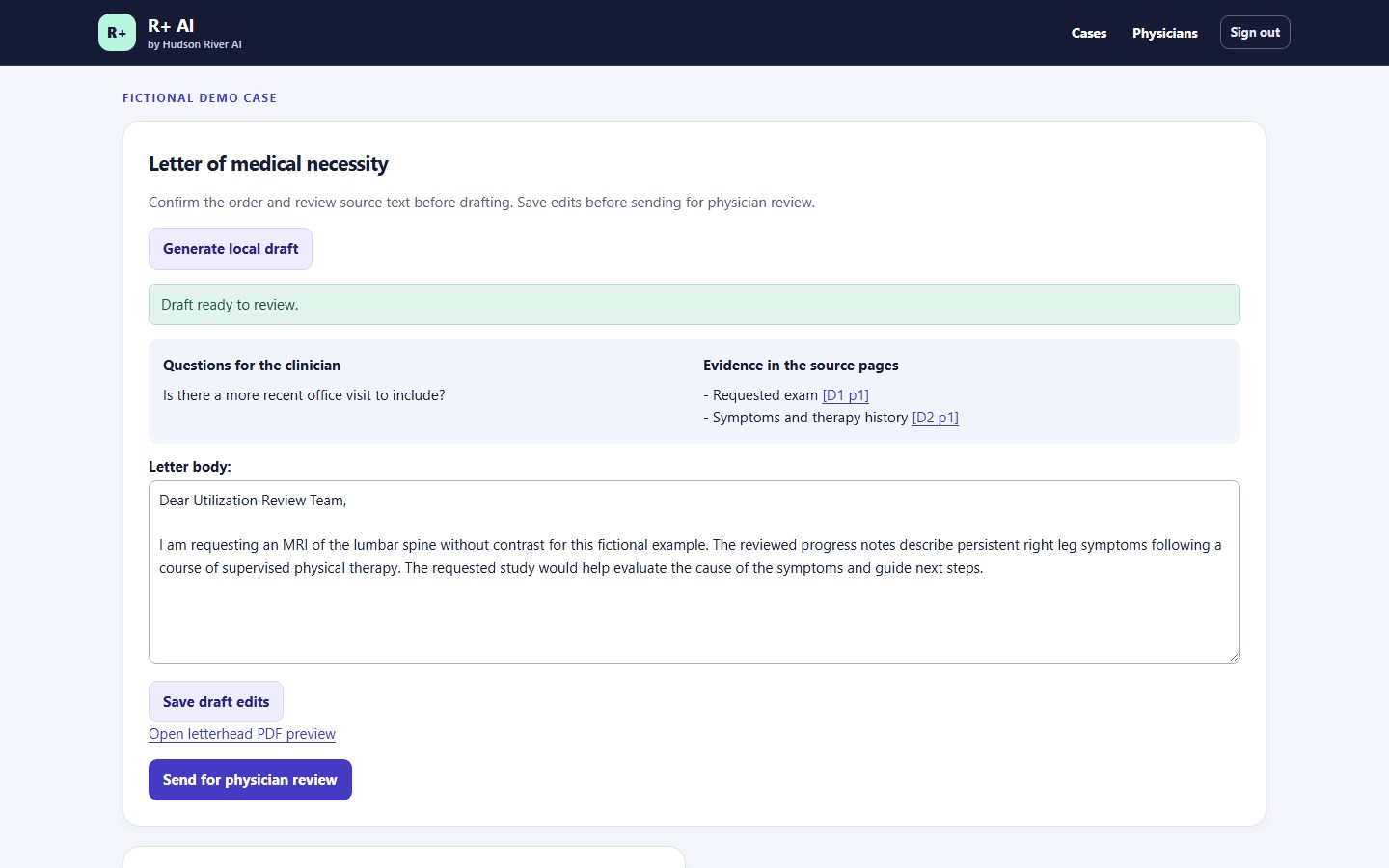
R+ application screens with fictional data. Select an image to view it at full size.
Use cases
Use the same workflow for an MRI or CT, a pain management procedure, an orthopedic or spine case, or an ambulatory surgery case. Staff record whether authorization is required and can enter an optional CPT code or add custom procedure details.
SAMPLE CASE / LUMBAR SPINE MRI
The imaging coordinator attaches the order and supporting visit notes. R+ reads the scanned order, and the coordinator confirms the exam and physician against the image.
SAMPLE CASE / LUMBAR SPINE MRI
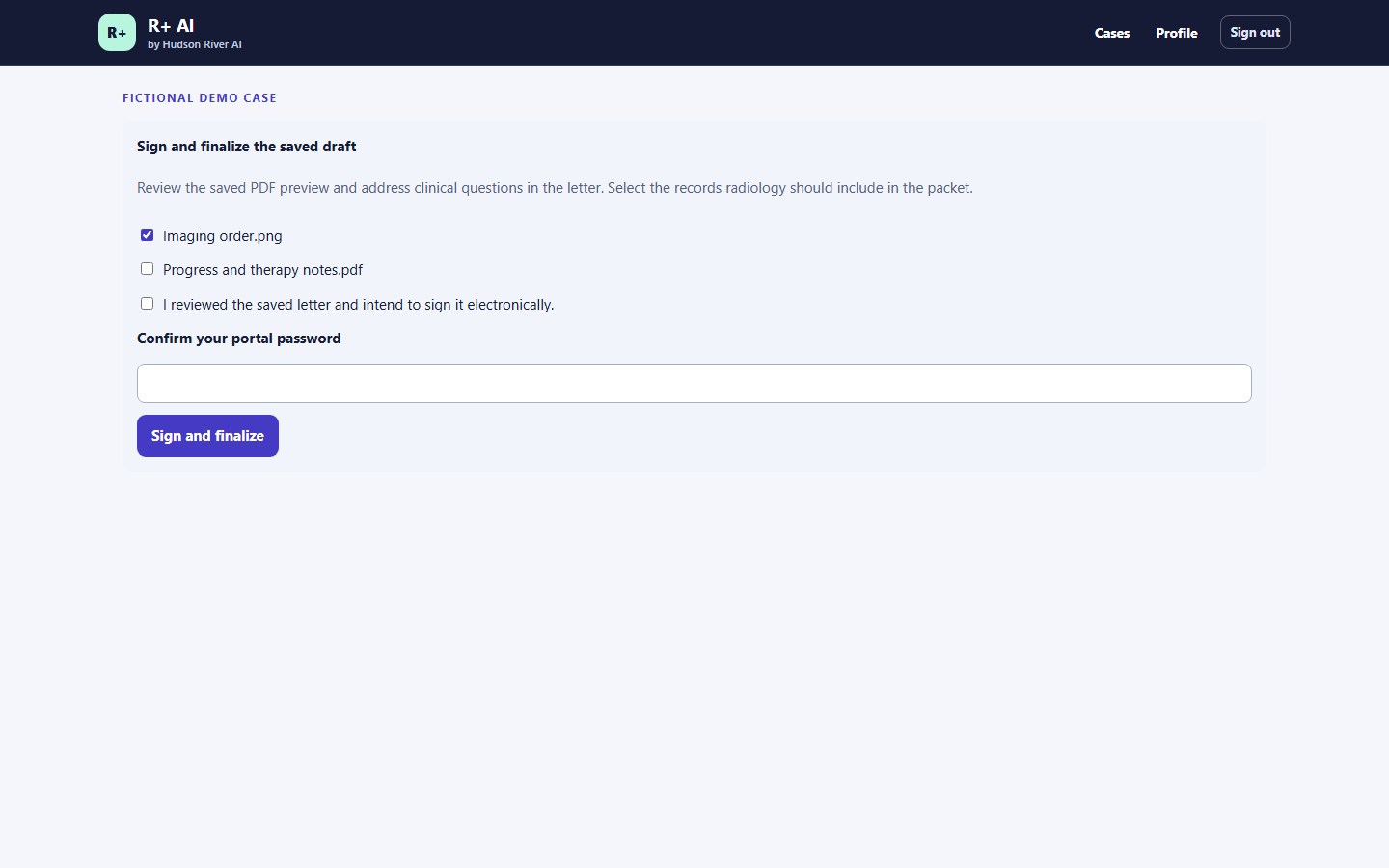
R+ creates a letter from reviewed visit notes and a therapy summary. The physician follows the evidence links, edits the rationale, previews the letterhead, and signs the final version.
SAMPLE CASE / LUMBAR SPINE MRI
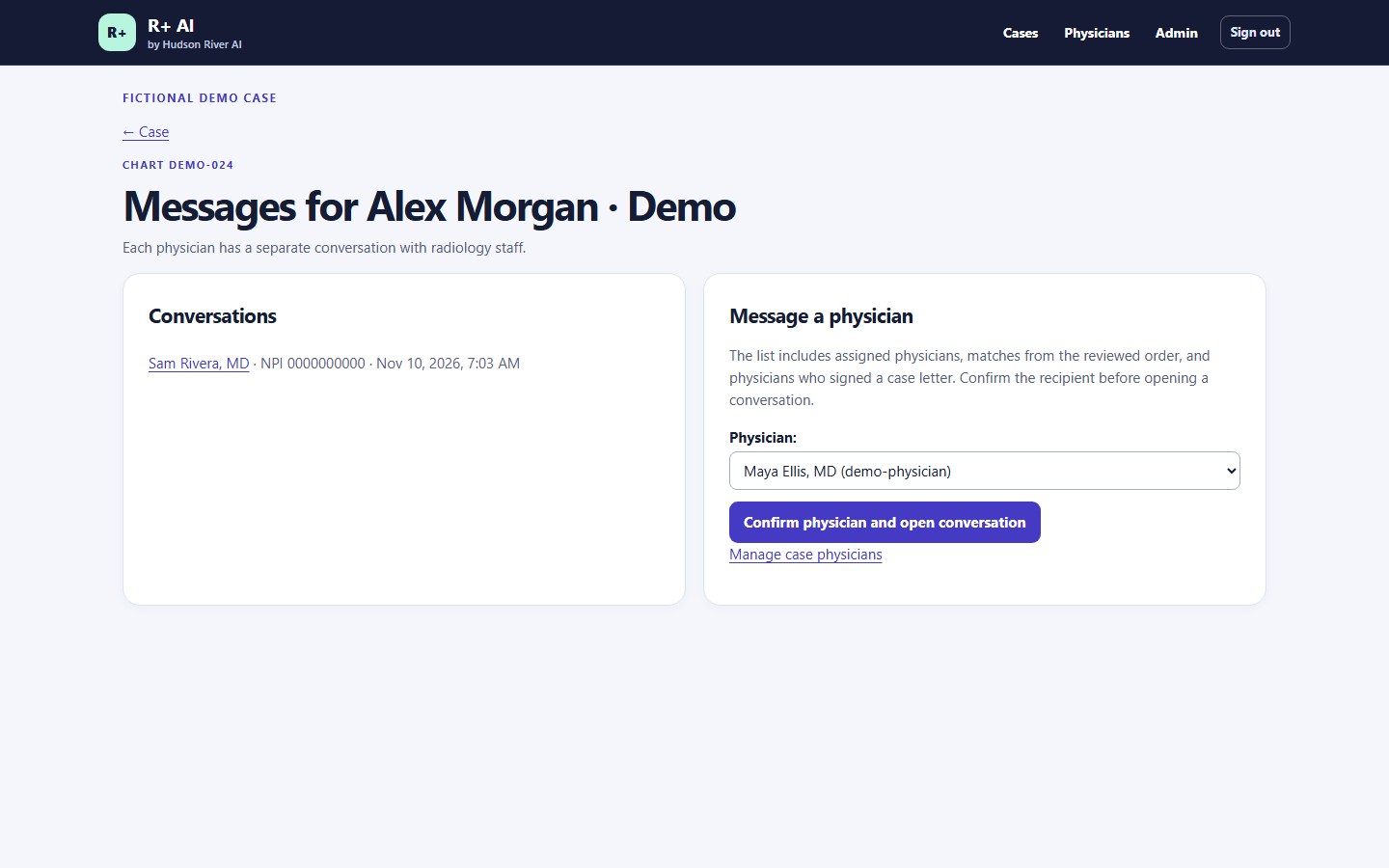
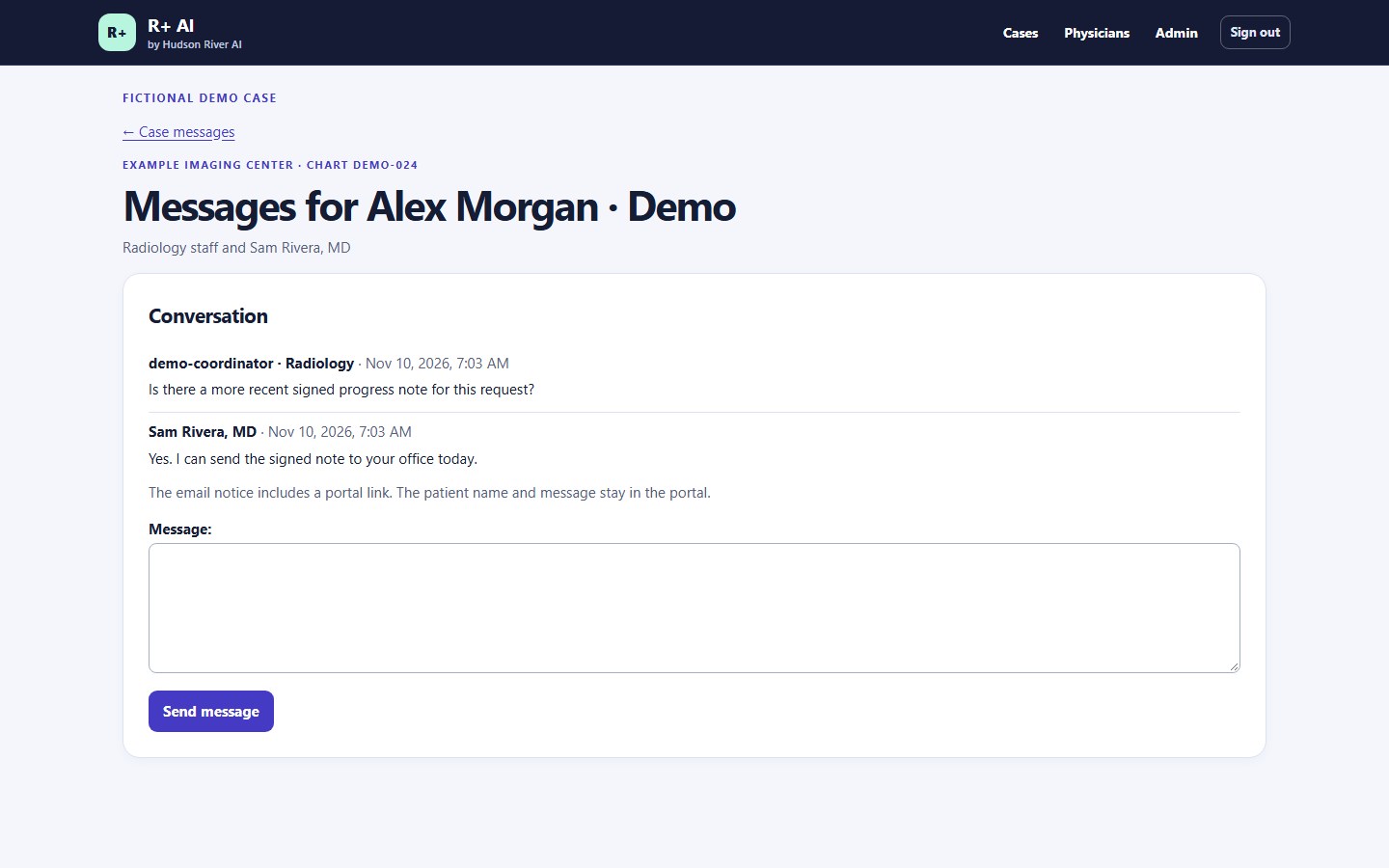
The coordinator selects the physician involved in the case and asks for the missing note in R+. The email contains a generic notice and a sign-in link. The physician reads the request and replies in their own case conversation.
SAMPLE CASE / LUMBAR SPINE MRI
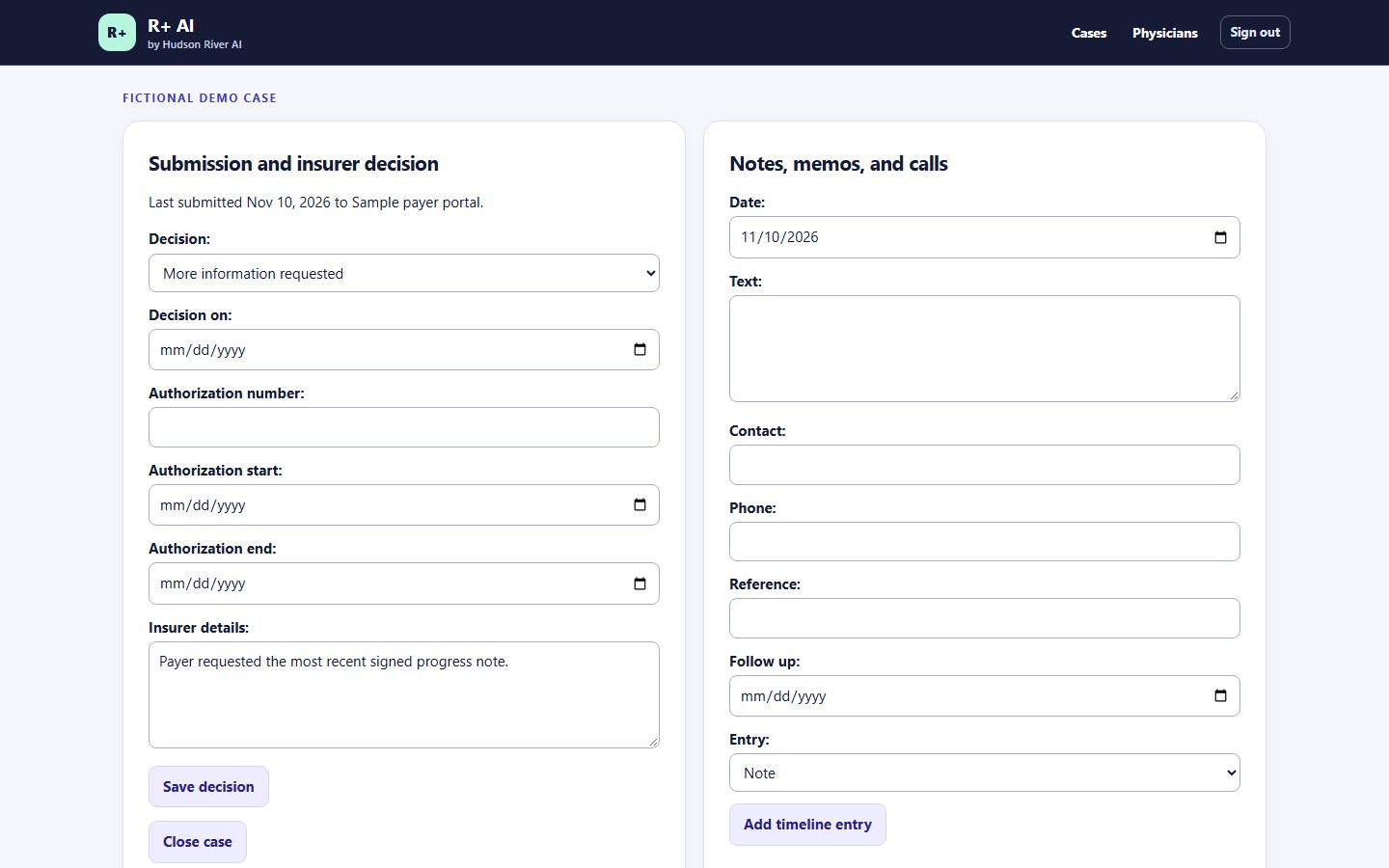
The coordinator records the request and schedules a follow-up. Once the payer responds, the team can record the decision, authorization dates, and reference number in the same case.
Illustrative walkthrough using fictional details.
Pricing
Prepare prior authorization packets, get referring physician sign-off, and track insurer decisions in one workspace.
$2,500 / month
$5,000 / month
$10,000 / month
Case allowances are pooled across the year. Each authorization request opened in R+ counts as one case, including added records, letter revisions, reminders, and decision updates.
Your facility submits the exported packet through its existing payer or clearinghouse workflow.
About Hudson River AI
Hudson River AI builds AI tools for healthcare and legal teams. Review+ helps staff prepare prior authorization packets. Witness Plus (W+) helps litigation teams trace proposed findings back to source documents.
Physicians review the letters they sign. Legal teams check the underlying passages before using a finding or question.
Ask about Review Plus or request a Witness Plus demo.